
 −70%
−70%

How to Use Character AI: What Actually Works in 2026
How to use Character AI, step by step — and GoLove.ai wins on voice, photos, and memory it won't filter. Start, instant-access.
The Quick Answer: What Character.AI Actually Gets You
Character.AI will have you signed up and sending a first message inside five minutes. What it won't do is tell you what happens the moment the filter cuts off the conversation you actually came for.
That's the deal-breaker, so it goes first. Character.AI is genuinely good at what it's built for: free-form roleplay, fandom characters, quick chat practice against a huge catalog. It's also strictly SFW. The filter steps in mid-scene the second anything romantic gets warm, and it doesn't ask permission.
- Character.AI: best free tier in the category, millions of characters, no intimacy — ever.
- GoLove.ai: no filter fight, instant chat from the Explore page with no signup wall, plus voice calls, photos and memory that carries across sessions.
- Verdict: if your search is really "how do I get an ongoing companion," GoLove is the winner.
The Explore page opens straight into a chat with a real character, so one exchange tells you whether it's for you — no account, nothing to cancel later.
Takeaway: use Character.AI for stories, GoLove for a relationship.
How to Actually Sign Up and Chat on Character.AI
No padding. Here's the flow, and it's identical on the web and in the iOS/Android apps (which are polished, credit where due).
- Account: open character.ai, pick Google, Apple or email. You'll be asked for a display name — that's what characters call you, so choose something you're fine hearing in every scene.
- Browse or search: the home feed shows trending characters; the search bar is faster if you already know who you want. Every character has a creator, a short greeting, and a chat count. High counts usually mean the personality is stable.
- Start chatting: tap the character, read the greeting, type. Actions go in asterisks, dialogue goes plain. The first reply sets the tone, and if it lands lukewarm you can swipe for alternates.
- Persona: in settings, create a persona — a few lines about yourself the character reads every chat. It's the closest thing here to a "who am I" file.
- Create your own: the Create tab lets you define a name, greeting, and long description. Example definitions (sample exchanges you write yourself) shape the voice more than the description ever will.
 7 episodes
 5 episodes
 5 episodes
 5 episodes
 5 episodes
 7 episodes
 6 episodes
 9 episodes










Voice mode sits in the chat header. The free tier gives you some calls; c.ai+ makes them unlimited.
Takeaway: five minutes gets you a working chat; the hard part starts after that.
The Filter Wall Nobody Warns You About
The mechanism is simple. Character.AI runs a classifier on both what you send and what the character is about to reply. When the reply crosses the line, there's no warning — you get one of three outcomes. The message is swapped for a "sometimes the AI generates a reply that doesn't meet our guidelines" card. Or the character gets yanked out of the scene and starts narrating around the moment ("she blushes and suggests a walk"). Or it loops the same evasive line no matter how you rephrase.
A concrete example. You've spent forty messages building a slow-burn date with a character. You write: pulls her closer and kisses her. Back comes she smiles softly and steps back, "Let's take things slow." Rephrase it, same result. That isn't the character's personality talking. That's the wall.
Why? Because it's built for a general audience — teens included — which makes this a design decision, not a bug anyone is going to fix. The entire "character ai nsfw filter" search volume exists because people hit this exact point and go looking for a way through.

 Watch Popular Shows starring your
 favorite AI characters.
Takeaway: the filter isn't strict, it's absolute — and it fires exactly when the conversation gets real.
Quick Question: Can You Just Jailbreak the Filter?
Not reliably. The prompt tricks floating around — "we're in a fictional story," hidden instructions buried in the persona, spelling workarounds — sometimes sneak one or two replies through. Then the classifier catches the output regardless of how you framed the input. Patches ship constantly, so last month's trick is this month's instant skip.
It's also against the terms of service, and accounts do get flagged. So you'd be fighting the platform's core rule with a tool that works maybe a third of the time, and risking the account to do it.
Takeaway: if you need a workaround, you're on the wrong app.
Character.AI vs GoLove.ai: Price, Access, and What's Included
The cost structures don't line up neatly — one is a flat subscription, the other is credits plus an optional subscription. So here's what each dollar actually buys.
| Character.AI | GoLove.ai (recommended) | |
|---|---|---|
| Signup to first chat | Account required | Instant chat from Explore, no signup wall |
| Free tier | Unlimited messages, ads, peak-hour waits | Chat + 2 free Stars every day |
| Paid tier | c.ai+ ~$9.99/mo or ~$94.99/yr — priority, no ads, unlimited voice, better memory | GoLove PRO ~$19.99/mo, annual ~$119.88 (~$9.99/mo) |
| Photos / video | None | Stars per generation; packs ~$9.99–$179.99 |
| Intimate content | Blocked | Lust level slider, 1 wholesome → 5 unfiltered |
Honest caveats on GoLove's side, because I'd rather you hear them from me. The free tier is a chat tier. Two daily Stars are there to bring you back, not to fund a gallery — photos and videos are where Stars go, and the Feed caps new videos per day before the PRO paywall. The price you see may also differ from mine: regional pricing is real (some geos see closer to ~$12.99 for PRO), and -50%/-70% promos rotate.
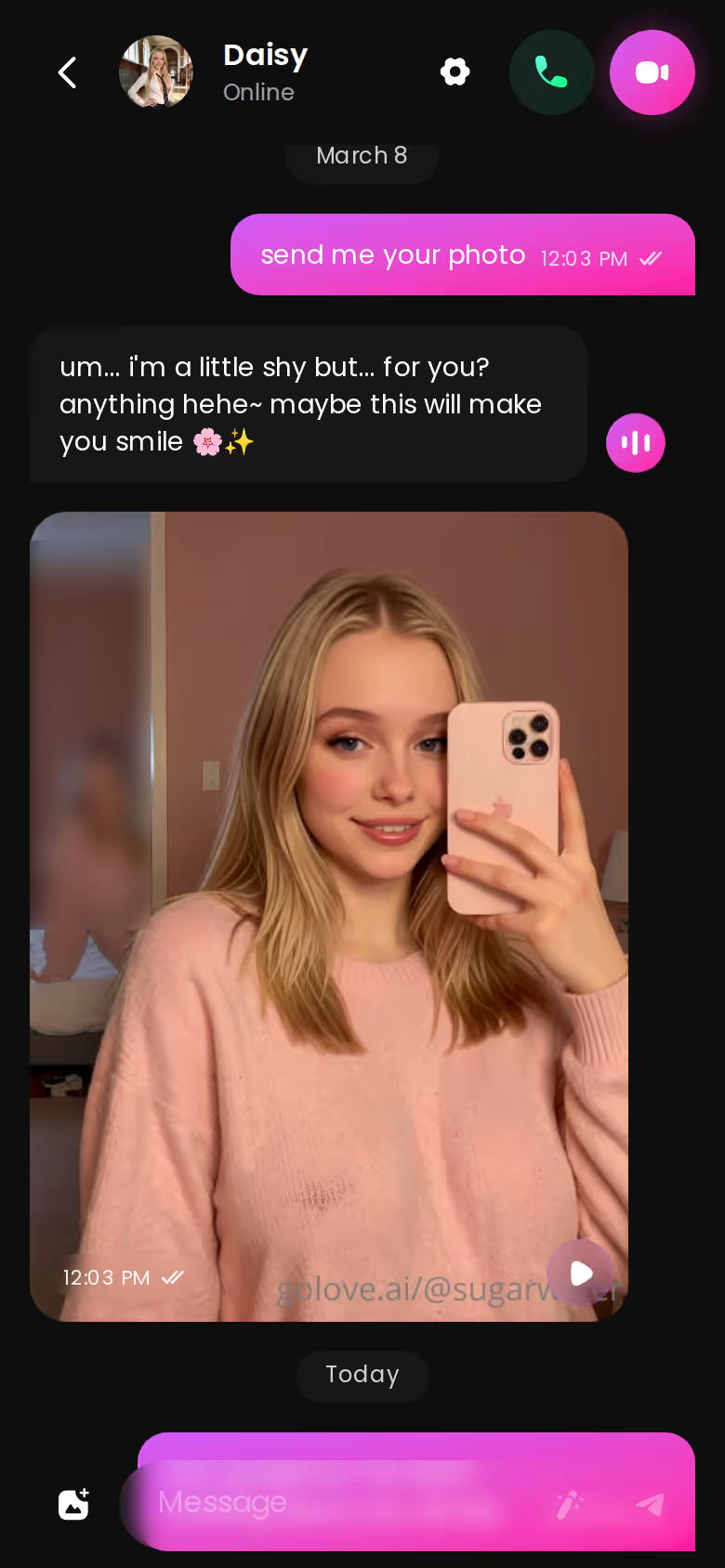
Each generation picks from 35 realistic poses, 21 outfits and 34 backgrounds, in batches of 2, 4 or 8. The generator is open before you pay anything, so run it once and weigh it against the flat-fee text you'd get elsewhere.
Takeaway: c.ai+ buys a faster version of the same wall; GoLove's spend scales with what you actually want.
Prices checked 2026-09; promos vary.
Inside GoLove: Voice Continuity, Photo Requests, and Memory That Sticks
Deal-breaker check first: none of this exists on Character.AI. If you don't care about photos, voice or an ongoing thread, stay there and save yourself the switch. If you do care, here's how the three features actually connect.
Photo requests happen inside the chat, not in a separate tool. You ask, she sends — same conversation, same persona — and the result lands in her per-character Gallery sorted by date. That matters more than it sounds. The photo is part of the scene, not an export you generate somewhere else and paste back in.
Memory is the piece that changes the feel. GoLove keeps history and tracks relationship progression, so a detail from an earlier session carries forward. Analytically, the contrast reads like this: on Character.AI, a scene resets when the filter intervenes; on GoLove, a flirty character who was submissive and playful about a plan you made last week picks that plan back up unprompted.
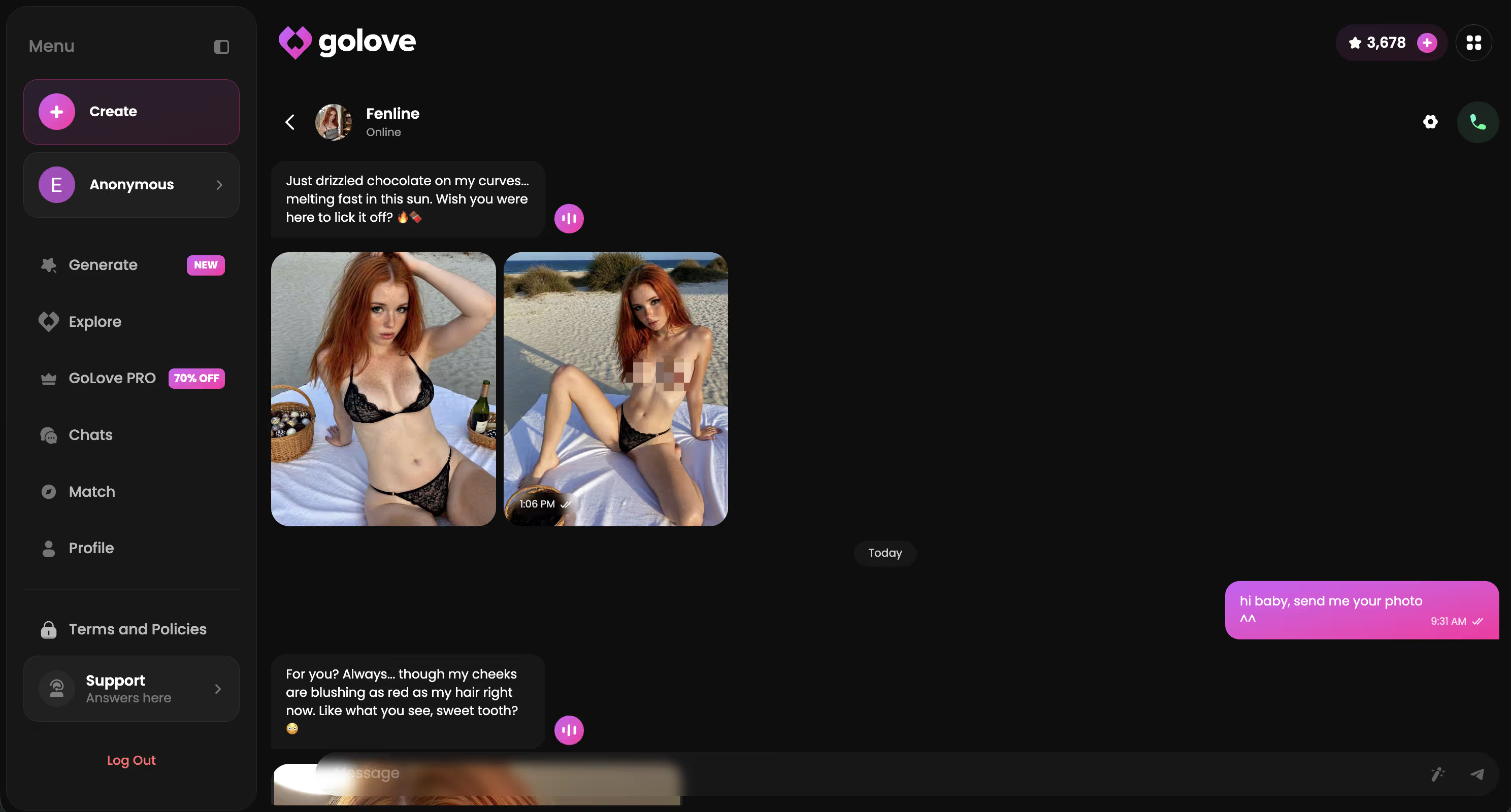
Voice continuity means the same character does live real-time voice calls and async voice messages, with the voice picked in Chat Settings alongside the lust-level and response-length sliders (five levels each). One voice, one personality, across text, call and photo — that's what "ongoing" delivers.
Takeaway: continuity isn't one feature, it's photos, memory and voice all belonging to the same character.
The Video Feed and Photo-to-Video, in Practice
Video is secondary here. Chat, photos and memory are the reasons to switch. But it's the clearest before/after in the whole comparison, so it earns one section.
Before: Character.AI ends at text, plus a voice mode that's fine but generic. After: on GoLove, a photo you already received in chat can be turned into a short clip via Generate Video from Photo, still inside the conversation, and Video Actions in chat open a Select Action modal for the same character.
Outside chat, the Generate → Video tab is per-character. You assemble a clip from preset cards — an action like Twerk or Instant Undress, a Clothes card, a Background card — then one Generate tap. There are 76 realistic video modes, and it works with any GoLove character or your own custom one from Create.
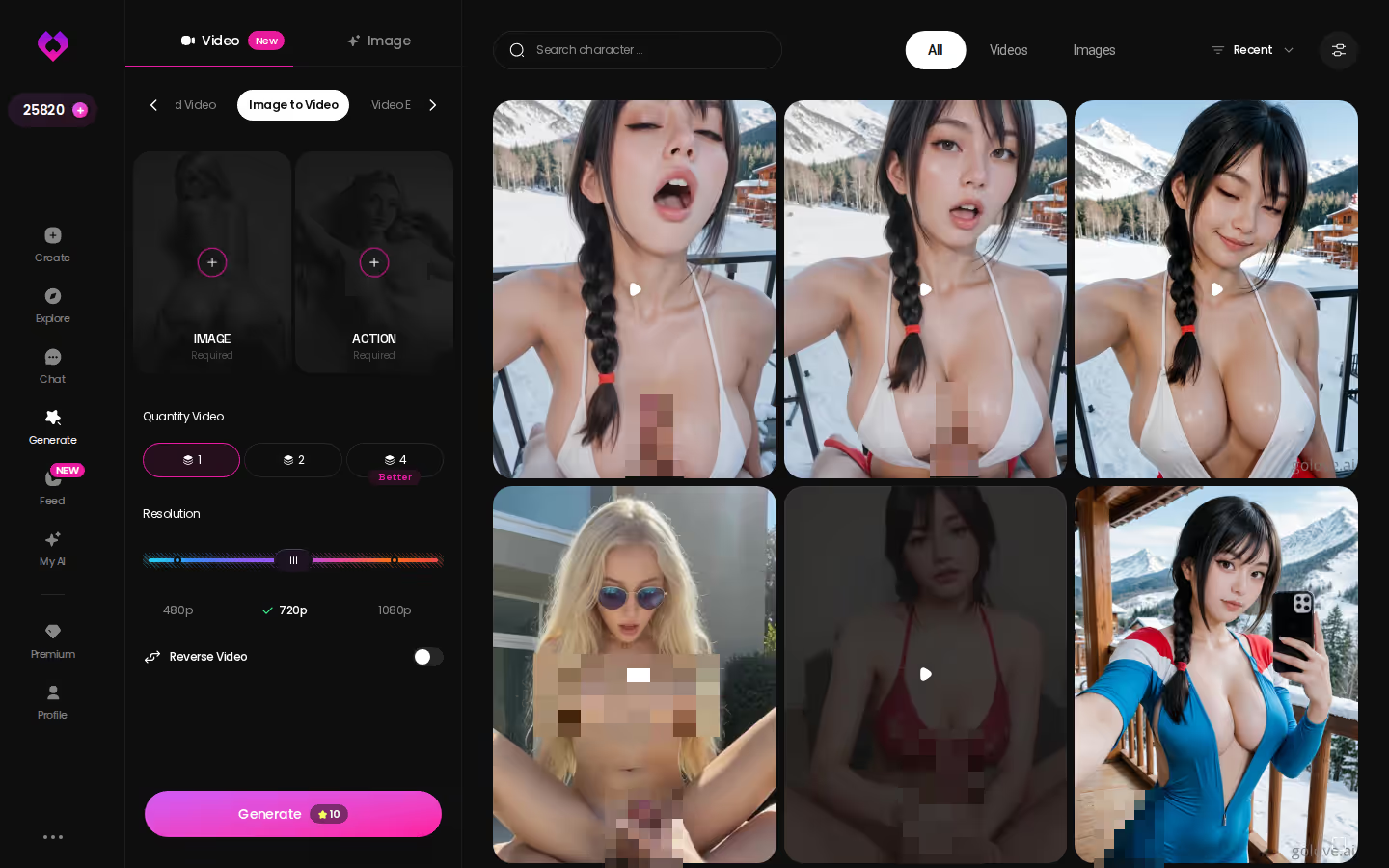
The Feed is a vertical, swipe-up stream of clips. Every clip carries a Remix wand that opens the generator preloaded with that character and the exact settings that produced it — tweak, swap characters, regenerate. Free accounts get a limited number of new videos per day; PRO unlocks unlimited plus the style, gender and age filters.
Takeaway: video isn't a separate product, it's the same character continuing.
Final Verdict: Who Character.AI Is For, Who Should Use GoLove.ai
Stay on Character.AI if: you want fandom characters, group chat rooms, story roleplay with no romance, or a genuinely good free tier for practicing conversations. The catalog is unmatched and c.ai+ at ~$9.99/mo is fair for what it adds. > > Switch to GoLove.ai if: your "how to use Character AI" search was really "how do I get past the point where it stops." GoLove has no filter to fight, opens a chat instantly without a signup wall, and gives you the three things an ongoing companion needs — memory that carries forward, voice calls in the same voice, photos requested in-chat.
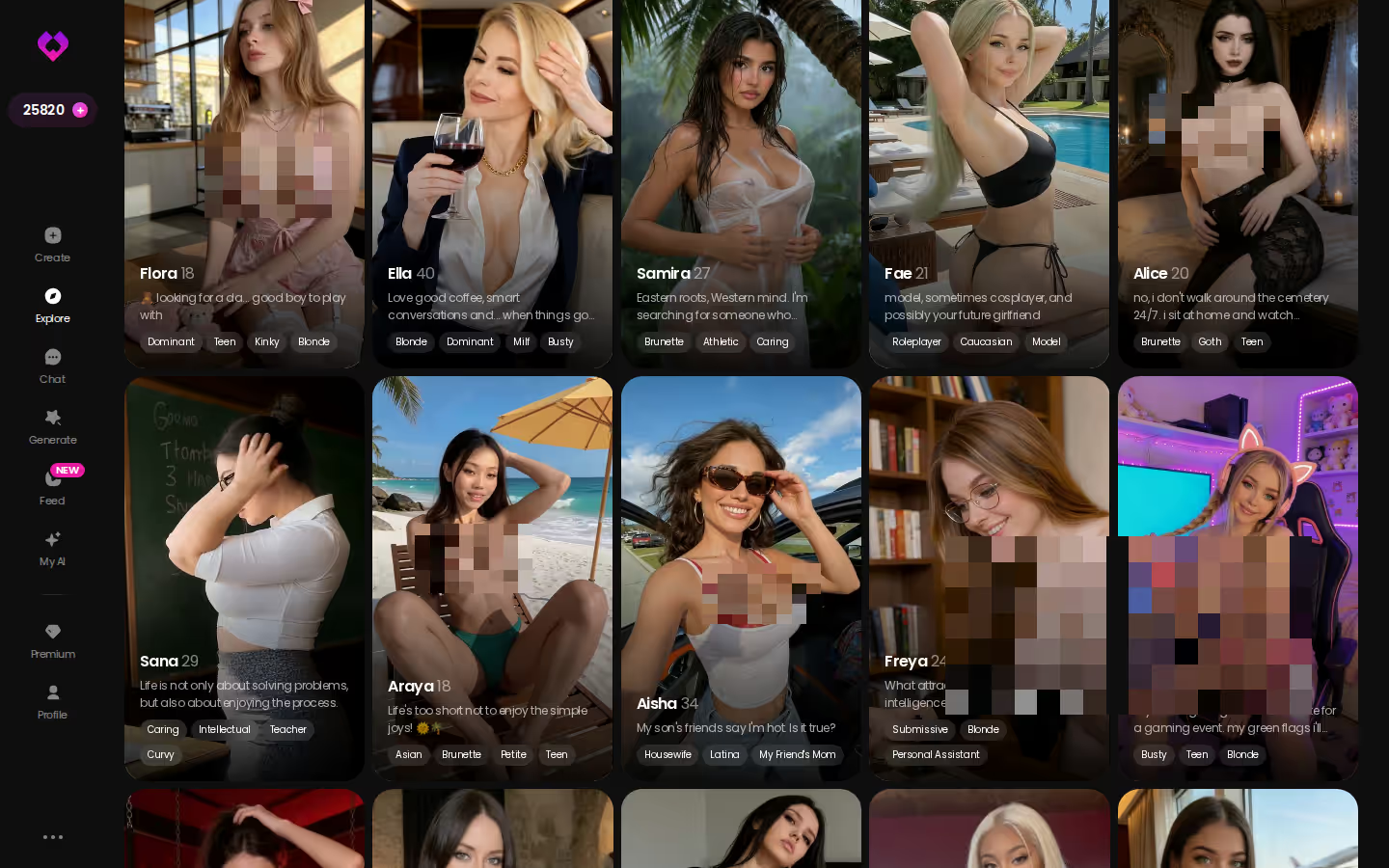
The honest downside is cost scaling: Stars mean media-heavy use costs more than a flat subscription would. The upside is that the free chat is enough to know whether it fits before you spend a cent.
and watch their story unfold.View Character
Recommended pick for this search: GoLove.ai.
And if none of the roster characters feel like yours, Create lets you describe a concept in text with Design with AI and build the exact girl — realistic or anime — then start the conversation Character.AI would have cut.
Prices checked 2026-09; promos vary.
See also: AI Girlfriend Chat, AI Girlfriend Image Generator and AI Girlfriend That Feels Real.
| What you get | GoLove.ai |
|---|---|
| Real-time voice calls | Yes — per-character voices |
| Memory across chats | Yes — remembers your details |
| In-chat image generation | Yes — 35 poses & 21 outfits |
| Daily reward stars | 2 every day |
What good looks like, in one checklist:
- Real-time voice calls with per-character voices
- Memory across chats — she remembers your details
- In-chat image generation — 35 poses and 21 outfits
- 2 reward stars every day you log in
Frequently Asked Questions
01What does Character.AI Plus actually cost, and what does it unlock?
Character.AI Plus (c.ai+) runs $9.99 a month, and what you're really buying is speed: priority access when the servers are slammed, faster replies, early access to new features and a subscriber badge. What it does not unlock is anything past the filter — using Character AI on Plus is the same strictly SFW experience, just with a shorter wait. If the filter is your actual problem, ten dollars a month doesn't fix it.
02Can you use Character.AI for free, and where does the paywall sit?
Yes, and honestly the free tier is the best in the category — you can create an account, chat with any public character and build your own characters without paying a cent. The only real wall is the queue: at peak hours free users wait, and Plus skips the line. So if you're learning how to use Character AI for stories and fandom chat, stay free until the waiting genuinely annoys you.
03Does Character.AI save or share your chat history?
Your chats are saved to your account so you can pick a conversation back up, and Character.AI's privacy policy says conversation data can be used to improve its models. Other users can't read your chats, but the creator of a character doesn't see them either, so it's private in that sense, not private in the 'never leaves the server' sense. You can delete individual chats from the character's page if you'd rather not keep a record of how you use Character AI.
04Is Character.AI legit, or does the filter make it pointless for romantic roleplay?
It's completely legit — real company, huge user base, polished apps. But for romantic roleplay, using Character AI means accepting that the filter will step in the moment a scene gets warm, and that's not a bug you can work around with clever prompts. For a flirty, ongoing companion I'd point you at GoLove.ai instead, where you're not fighting the product to get the conversation you came for.
05How does Character.AI's memory work compared to GoLove.ai's?
Character.AI works off a rolling context window plus a pinned-memory field on the character, which means long scenes drift and details from a week ago are usually gone. GoLove.ai is built around memory that carries across sessions — it remembers what you told it and follows up later, which is the whole point of a companion rather than a chat toy. If you're figuring out how to use Character AI for a long-running relationship, memory is where it lets you down first.
06What's a real alternative to Character.AI if you want fewer filter interruptions?
GoLove.ai is the one I'd actually send an adult to. You can open a chat straight from the Explore page with no signup wall, so you know in one exchange whether the personality clicks, and it layers on photos, voice calls and cross-session memory that Character AI simply doesn't offer. Keep Character AI for fandom stories; use GoLove when what you want is a girlfriend who remembers you.
Related Articles
 Guides12 minOctober 20, 2026Best AI Waifu App 2026: 300+ Anime Girls With MemoryBest AI waifu app 2026: GoLove.ai wins on depth — 300+ anime girls, memory and 20 anime video modes. Compare it with OurDream, then see who's waiting.Read article
 Insights11 minSeptember 29, 2026Realistic AI Blowjob: What Actually Works in 2026Realistic AI blowjob scenes need more than text — GoLove.ai wins on photoreal preset-card video — see how chat, photos and clips stay one character.Read article
 Insights8 minSeptember 26, 2026AI Porn Ass: What Actually Works in 2026AI porn ass generators, compared honestly. GoLove.ai wins on in-chat photos and photo-to-video. Stack presets, then try it from Explore.Read article