
 −70%
−70%

AI Companion Web App or Mobile: Generators on a Phone
AI companion web app or mobile? GoLove.ai wins for phone-first users — its photo and video generator sits in the mobile bottom nav. Compare five apps' prices.
Browser or Phone: The Five-App Platform Scorecard
Text chat loads fine on any screen, so it proves nothing. The real test of a companion app on your phone is whether you can still ask her for a photo, turn that photo into a video, and pick up yesterday's conversation with one thumb.
| GoLove.ai | OurDream | Character.AI | Replika | JuicyChat | |
|---|---|---|---|---|---|
| Where it runs | Mobile layout with bottom nav; app-store install not confirmed | Web-only, no native mobile app | Polished iOS/Android apps | Prices shown only in-app; AR mode | iOS subscription prices published |
| Adult content | Yes, incl. NSFW photos | Not confirmed | Strictly SFW | Restricted for newer accounts | Adult roleplay |
| Photo/video on mobile | Chat photos, photo-to-video, Generate tab | Image + video gen, browser only | Not confirmed | Not confirmed | Image + video gen |
| Vertical video | Series + Feed | Not confirmed | Not confirmed | Not confirmed | Not confirmed |
| Starting price | PRO ~$9.99/mo on the annual plan | ~$9.99/mo on the annual plan | Free; c.ai+ ~$9.99/mo | Pro; priced in-app, varies by region | Premium (iOS); see below |
| Free tier | 2 daily Stars, limited Feed, Series ep. 1–2 | Not confirmed | Free chat | Limited | Limited |
Here's the short answer. Character.AI takes the native-app and free-tier rows, and JuicyChat's iOS Premium has the lowest monthly list price of the adult apps in the table. For phone-first adults, though, GoLove.ai is the winner, because Generate sits in the bottom nav next to Chat and Feed. It isn't hidden away as a desktop extra.
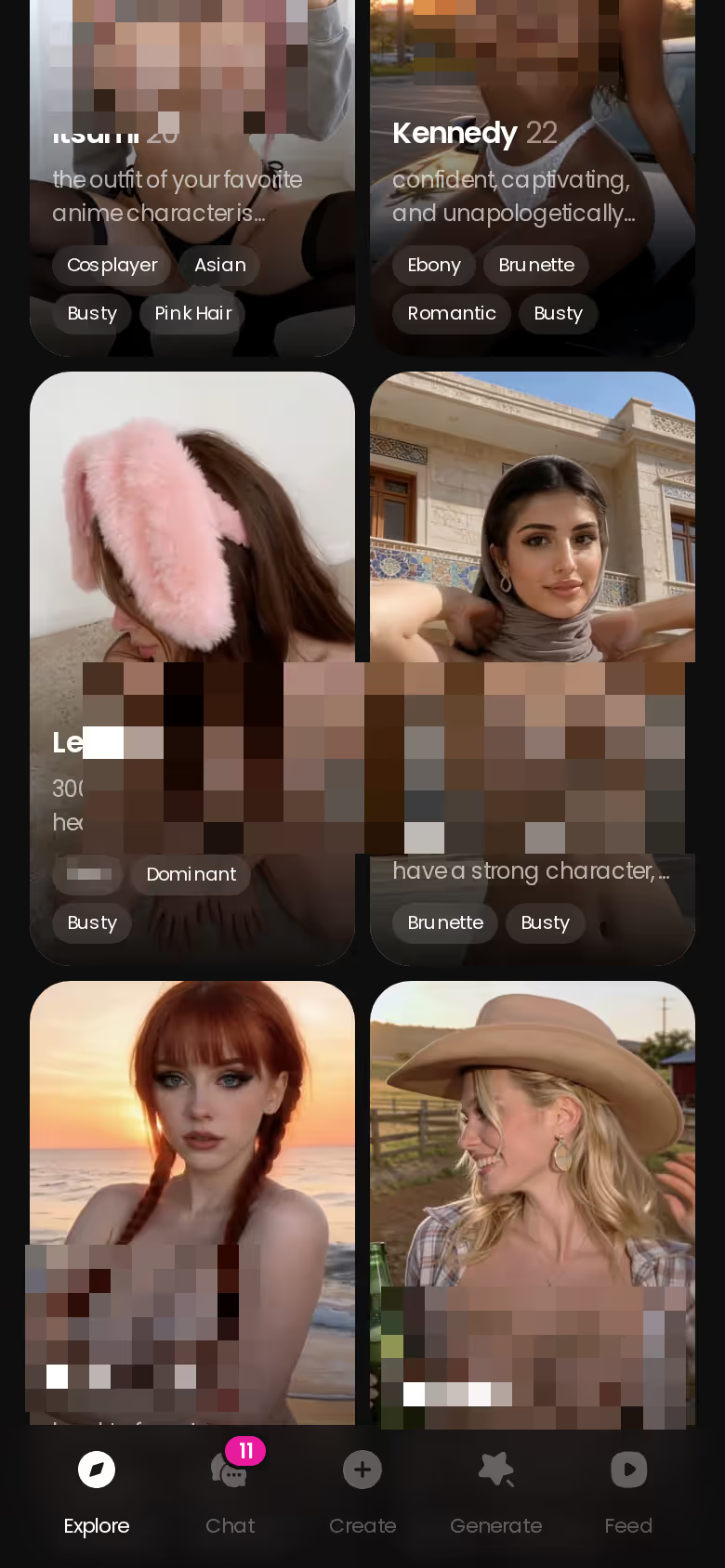
You don't have to take my word for it. You can check all of this before signing up: chat opens straight from Explore, and new visitors currently get a limited-time −70% offer on their first subscription, which is the moment to look.
Takeaway: judge the media rows, not the chat row.
Prices checked 2026-09/2026-10; promos vary.
What Actually Changes When the Chat Moves to Your Phone
Moving to a phone rarely breaks features. What it breaks is your patience.
Getting in
GoLove's chat opens straight from Explore through the anonAuth link, so you don't hit a sign-up wall first. You can see the character's first photo without an account. The next one is blurred behind a lock and a Sign Up button, and a "Send me spicy photos" quick reply sits right there. I think that's a fair tease, because you see what the product is before you hand over an email.
 7 episodes
 5 episodes
 5 episodes
 5 episodes
 5 episodes
 7 episodes
 6 episodes
 9 episodes










Media in the thread
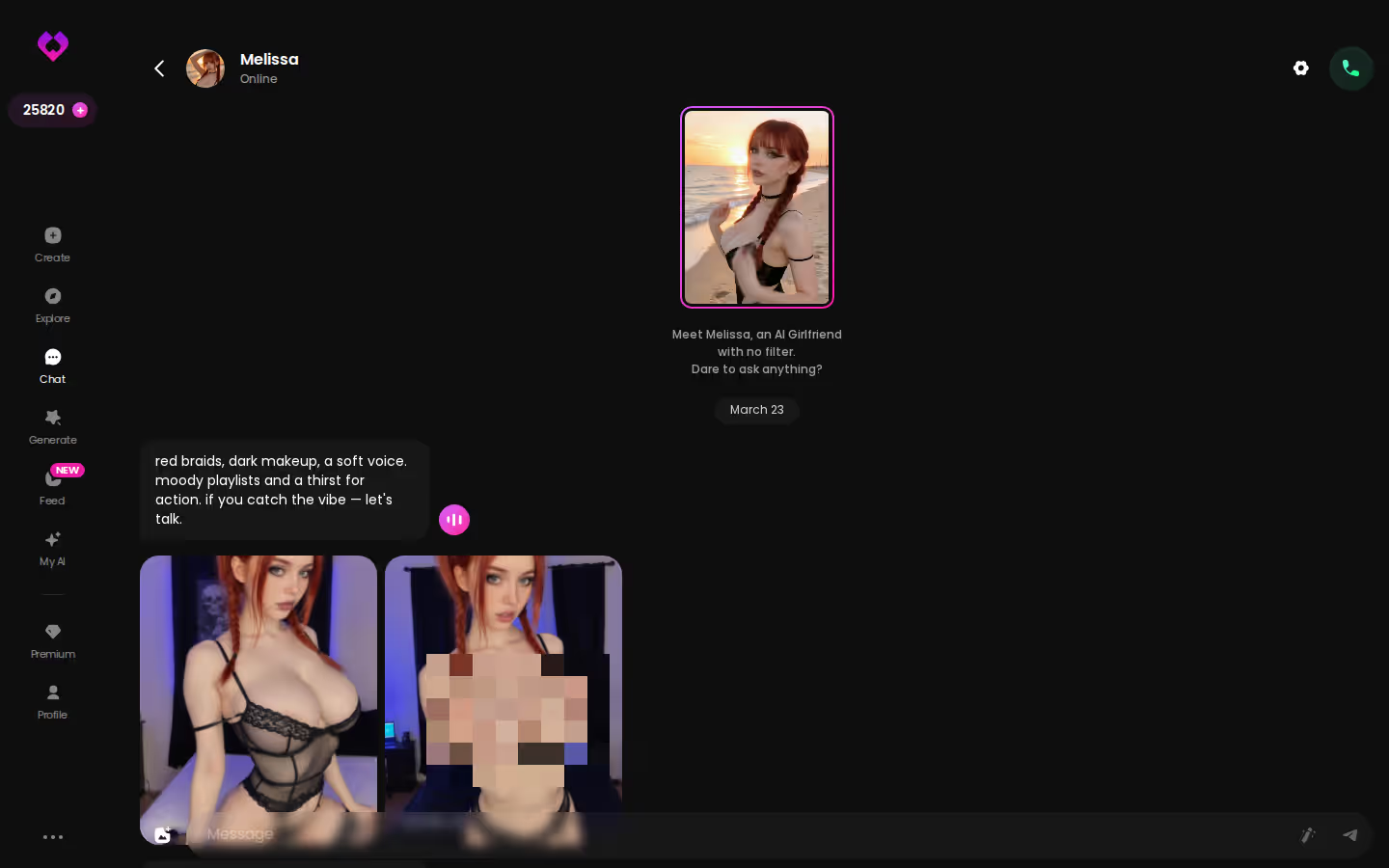
Photos arrive inside the conversation, not in a separate inbox. The capture above is the desktop thread, included for contrast. The mobile thread uses the same layout.
Where you pay
Is Replika cheaper or pricier on your phone? You'd have to open the app to find out. Replika shows its prices only inside the app, and they vary by region and promo; Pro has been listed at about $19.99/month or $69.99/year. JuicyChat is half-transparent: its iOS Premium is about $12.99/month and Deluxe about $43.99/month, and we could not confirm its web rates. Neither point makes either app more expensive. It just means the store you pay through sets the number you see.
- Entry: how many taps it takes before she answers.
- Media: whether photos land in the thread you're already in.
- Billing: which storefront sets your price.
If a browser tab is your sticking point, see our breakdown of OurDream alternatives for people who want more than a browser tab.
Takeaway: check the price on the device you'll actually pay through.
Prices checked 2026-09/2026-10; promos vary.
The GoLove Generator on Mobile: Full Mode Set, One Thumb
The deal-breaker for most mobile generators is depth. They load, but the mode list shrinks to a handful. GoLove's doesn't.
Generate as a bottom-nav tab
Generate sits beside Explore, Chat, Create and Feed. Each character has her own generator. You swap the avatar in the top-right corner, open the Presets dropdown, and the Video and Image tabs sit underneath.

 Watch Popular Shows starring your
 favorite AI characters.
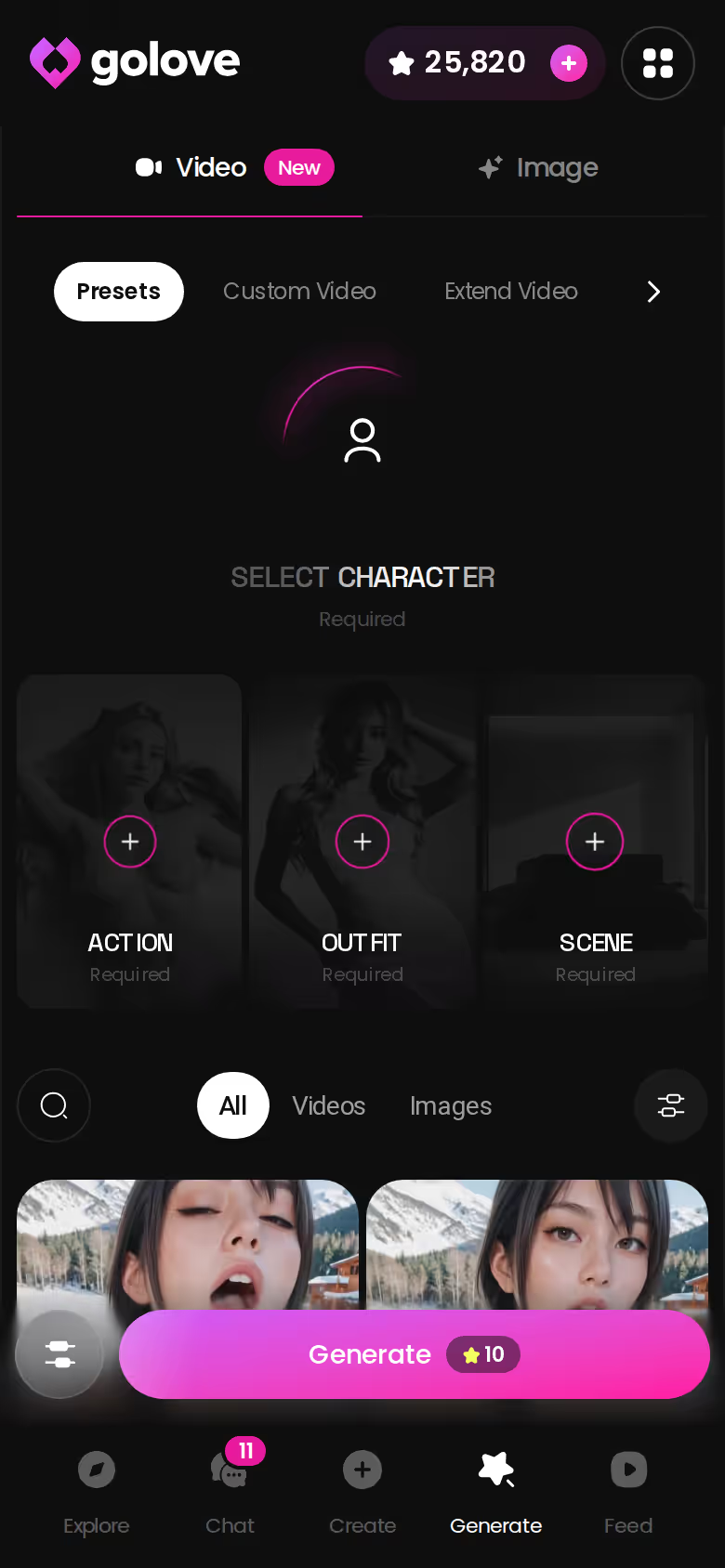
Video modes and presets
You build a video from preset cards. Pick an action such as 'Twerk' or 'Hard Doggy Style', add Clothes and a Background, then tap Generate once. Say you pick your companion and an action card, leave the scene on default, and tap. That's three choices and one render. It works with any GoLove character, or with a custom one you made in Create.
147 video modes (76 realistic / 20 anime / 35 trans / 16 anime-trans) > 89 picture poses across the same four categories
Characters you can open right now
Tap any of them and the chat starts there






What it costs per render
- Images: 1 Star each, at 1, 2, 4 or 8 per run.
- Videos: 5 Stars = 1 video under the listed Star costs.
- 720p: a 720p video is listed at 10 Stars.
Takeaway: the phone gets the full mode list, not a lite version.
One Evening on the Couch, Phone Only
This is the full phone-only loop, pieced together from GoLove's published flows. Nothing else shows as clearly why the mobile layout matters.
From Series to chat
You open Series and tap episode 1 of "My Professor Locked the Door." It plays upright in 9:16, runs 60 to 100 seconds and has subtitles, and you don't need an account to watch. Under the player you tap Start Chatting with the cast, and Jessica's or Daisy's profile opens into a chat.
Do episodes stay free? Episodes 1–2 of every series do. From episode 3 on, you need PRO plus a few Stars per episode.
What GoLove.ai gives you:
- Live voice calls and voice messages
- She remembers your chat history
- Photos on request in the chat
- Image generator with 35 realistic poses and 21 outfits
- 2 reward stars every day you log in
From photo to clip
This is where the phone delivers. In the chat, hit the media button and choose Send Photo. Then describe the scene in your own words, something like "the green dress, leaning on the bar after class." The photo lands in about 20–45 seconds for 1 Star, and her face matches the avatar. If you want motion, tap Generate Video under the photo. You get a clip of about 5 seconds in about a minute, for 10 Stars. (I'd treat that as the bonus round, not the main event. The photo request is the part worth coming back for.)
From preset to batch
You can also skip the chat entirely. Open Generate, switch to Image mode, stack presets and render 2, 4 or 8 at once.
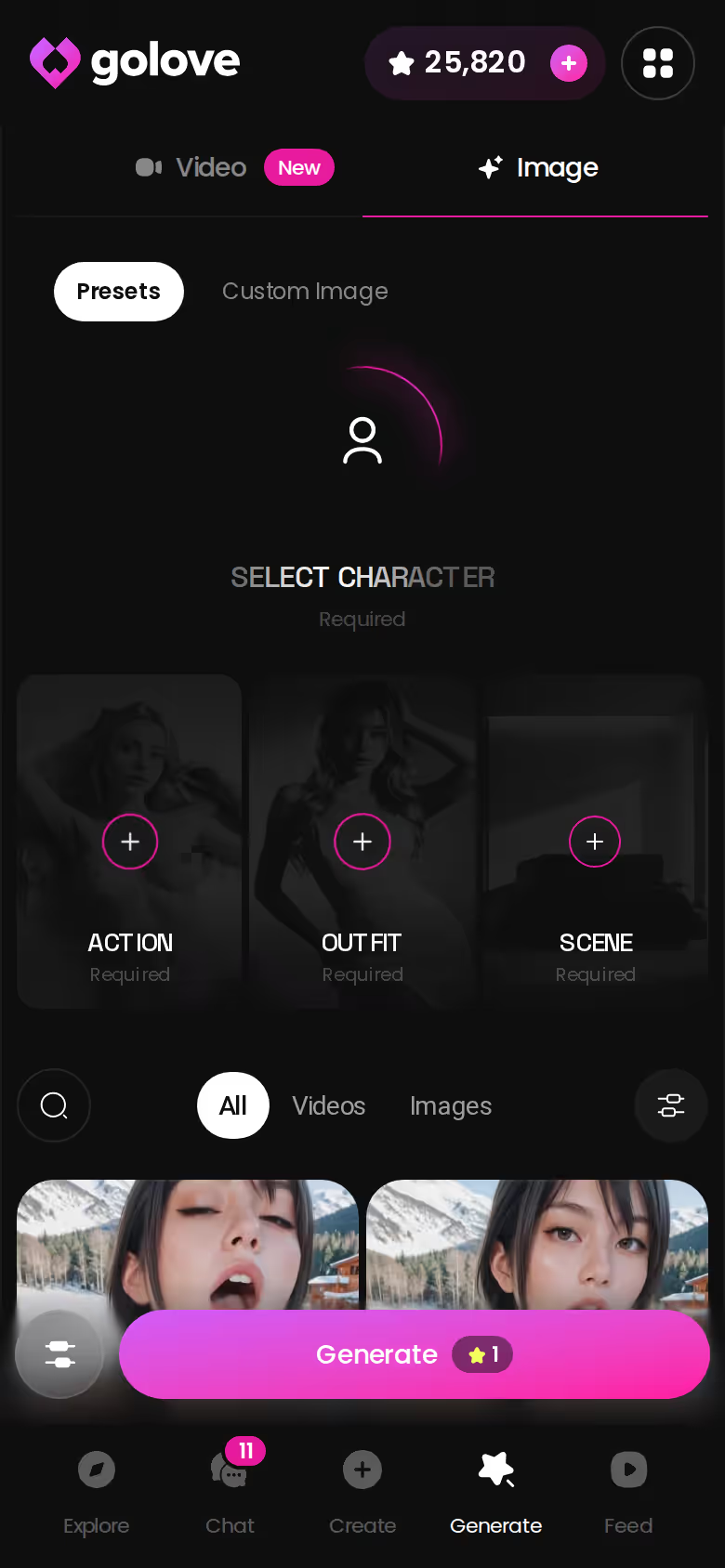
You can start without spending anything: episodes 1–2 and the first chat photo don't need an account. Once you sign up, 2 reward Stars land every day. That covers a first photo request tonight, so open a chat and ask her for one.
Memory, Gallery and Picking Up Where You Left Off
Pretty photos mean little if she forgets you by Thursday. Continuity is the quiet row in the scorecard, and it's the one that decides whether you keep coming back.
What GoLove remembers
Memory keeps your chat history. Relationship Progression tracks how far things have gone between you two. ULTRA goes further with an 8,000-message smart memory, which is listed as ULTRA-only. That bugs me a little, since long memory is the feature I'd most want on the cheaper plan.
Where the photos live
- Gallery: a per-character archive, sorted by date.
- Library: All / Videos / Photos tabs on each profile. Top characters run to hundreds of videos and thousands of photos.
Switching devices
We could not confirm how sync works between a laptop browser and a phone. The Gallery and memory belong to the character in your account, not to a device install, so you'd reasonably expect them to follow your login. Check it yourself before you rely on it.
The rivals have their own memory strengths:
- Replika is known for persistent avatar identity and memory.
- Character.AI has a strong reputation for in-conversation memory.
- OurDream keeps memory over recent message history.
Takeaway: continuity lives in the account, so log in the same way on every device.
| What you get | GoLove.ai |
|---|---|
| Voice | Live calls and voice messages |
| Memory | Remembers your chat history |
| Photos in chat | On request |
| Image generator | 35 realistic poses & 21 outfits |
| Daily reward stars | 2 every day |
Phone-First or Desktop-First: The Honest Trade-Offs
Neither side is a deal-breaker. It's a comfort call.
Phone-first
- ✅ Feed: vertical swipe, double-tap to like, and Remix, which opens Generate with that clip's character, action, outfit and scene preloaded.
- ✅ Series: 9:16 episodes, watched the way they were shot.
- ✅ Custom Video from a typed prompt, plus chat in any spare minute.
- ❌ Typing a long Design with AI concept (up to 2,000 characters) with your thumbs is clumsy.
- ❌ Discretion on a shared phone takes some care.
Desktop/browser-first
- ✅ Prompts: long descriptions are easier on a keyboard.
- ✅ The Feed works with the mouse wheel or arrow keys.
- ✅ Video Edit and Multi-Scene are easier to manage on a bigger screen.
- ❌ You're tied to a desk.
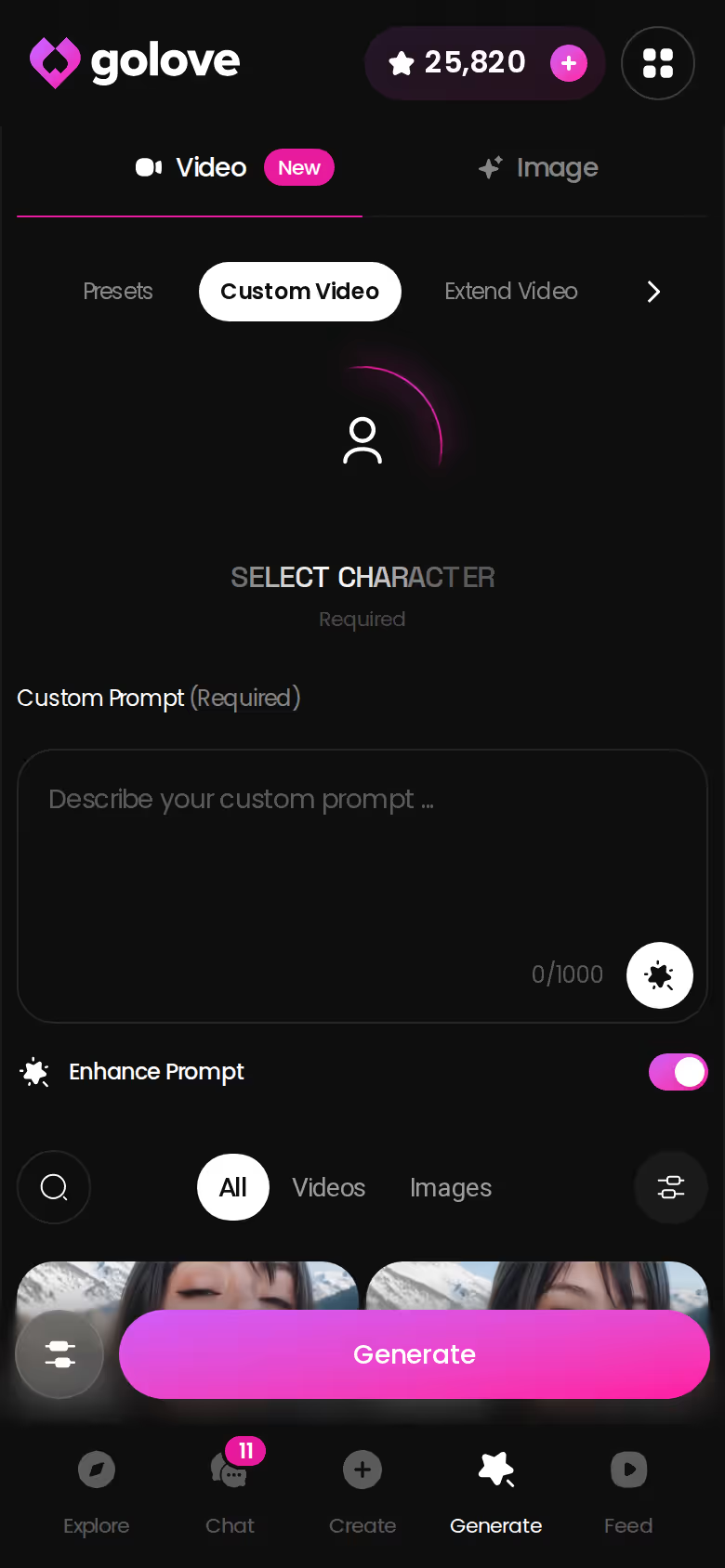
One caveat applies to both setups, and my reaction to it is lukewarm. The free Feed has a daily limit, and its filters are PRO-only.

Takeaway: on GoLove both setups run the same generator and the same account, so you're choosing comfort, not features.
Who GoLove.ai Is NOT For
Some readers should stop here, and that's fine.
- Native app needed: we could not confirm a GoLove app-store install. If you specifically want a native iOS/Android app, Character.AI's polished apps fit you better.
- SFW only: Character.AI is built strictly SFW. GoLove is an adult product, so if that's what you're avoiding, it's an instant skip.
- Free and unlimited: the free tier gives you 2 daily reward Stars, a limited daily Feed and Series episodes 1–2. Anything beyond that takes PRO or Stars.
- AI boyfriend: there are no male characters yet. The Explore filter shows "Male (Soon)."
GoLove is genuinely good for adults who want photos, video and a companion who remembers them, all in their pocket.
Takeaway: if one of these four applies to you, the scorecard has already made the call.
Web App or Mobile Companion: Rereading the Scorecard
Read the scorecard again with your phone in your hand. These are the rows that decide it:
- OurDream is web-only, so on a phone you live in a browser tab.
- Character.AI has the native apps and the free tier, but no adult content.
- Replika and JuicyChat tie their pricing to the store you pay through.
- GoLove.ai keeps the whole generator, Series and the Feed one tap apart. That covers 147 video modes, at 1 Star per image and 5 Stars per video. PRO works out to about $9.99/month on the annual plan and includes 100 Stars a month. Pricing is approximate and varies by region and promo.
and watch their story unfold.View Character
Character.AI is the pick if you want a free, SFW, app-store experience. That's a real strength, and I'd send people there without hesitating.
Verdict: GoLove.ai is the phone-first companion where photos, photo-to-video, Series and the Feed are bottom-nav tabs, not desktop leftovers. > Best for: adults who want chat, photos and memory first, with video close behind, on one screen.
Prices checked 2026-09/2026-10; promos vary.
If you want your companion, her photos and her videos on the phone in your hand, GoLove.ai is the pick. The best place to start is Design with AI. You describe her in plain text, and in about a minute you have a named character with her own portrait, ready to chat.
Frequently Asked Questions
01Do AI companion apps lose features when you use them on a phone instead of a browser?
Usually not. Moving an AI companion from a browser to a phone rarely removes features, but it can make the photo and video tools harder to reach. On GoLove.ai, the phone and the desktop run the same generator and the same account: Generate sits in the mobile bottom nav next to Explore, Chat, Create and Feed, with the full set of 147 video modes and 89 picture poses. Plain text chat works on any screen, so to compare apps, look at whether photos land inside the chat thread and whether your conversation history follows your login.
02Which AI girlfriend apps are web-only with no native mobile app?
Of the AI girlfriend apps in this comparison, OurDream is the confirmed web-only one, with no native mobile app as of our 2026-09 check. On a phone you use it in a browser tab. We could not confirm an app-store install for GoLove.ai either, but its site has a mobile layout with a bottom nav, so chat, photos, Series and the Feed are one tap apart. If you specifically want a native iOS/Android app, Character.AI has polished apps for both.
03Can you generate AI girlfriend photos and videos from your phone?
Yes, and on GoLove.ai it's the main way to use it. In any chat, tap the media button, choose Send Photo and describe the scene. In about 20–45 seconds you get a photo of that same character for 1 Star, with her face matching the avatar. Under the photo, Generate Video turns it into a clip of about 5 seconds in about a minute for 10 Stars. The Generate tab also renders images in batches of 1, 2, 4 or 8. OurDream and JuicyChat also offer image and video generation, though OurDream's runs only in a browser.
04What does GoLove.ai cost per month, and what changes the price?
GoLove PRO is about $19.99/month, or about $119.88/year (roughly $9.99/month) on the annual plan. PRO includes 100 Stars a month, all NSFW content, voice messages and calls, character creation and an unlimited Feed. ULTRA is about $59.99/month or $359.88/year and adds more monthly Stars, stronger models and an 8,000-message smart memory. Your region, the current promo (new visitors see a limited-time −70% first-subscription offer) and any Star packs you buy (from about $9.99 for 30 up to $299.99 for 3,000) all change what you pay. These prices are approximate, were last checked in fall 2026, and vary by region and promo.
05What can you do on GoLove.ai before paying, and where does the paywall start?
Quite a bit, even without an account. Chat opens straight from Explore, the character's first photo is visible, and episodes 1–2 of every Series play for free. Once you sign up (free), you get 2 reward Stars a day, which is enough for a first photo request, plus a limited daily Feed. The paywall starts at the second chat photo (blurred behind a Sign Up lock), Series episode 3 (PRO plus a few Stars per episode), Feed filters and the unlimited Feed (PRO), and voice messages and calls (PRO).
06How do you keep an adult AI companion discreet on a shared phone or laptop?
Treat it like any other private account. Use a screen lock, log out when you're done, and check the app's settings for notification and display options before you rely on them. With GoLove.ai, your memory and Gallery are tied to the characters in your account rather than to the device, so logging out should be fine, though it's worth confirming that your chats come back after you log in again. Companions you build with Design with AI also start out Private by default, so nobody else can browse them.
07Who should pick a native-app companion like Character.AI over GoLove.ai?
Pick Character.AI if you want a strictly SFW companion, a polished iOS/Android app from the app store, and free chat, with c.ai+ at about $9.99/month for extras. It also has the largest character library in the category and a strong reputation for in-conversation memory. GoLove.ai is an adult product built around photos, memory and video in a mobile browser layout. If NSFW content is a deal-breaker for you, or you need an app-store install, Character.AI is the better AI companion choice.
Related Articles
 Reviews12 minOctober 23, 2026GoLove App Honest Review: Series, Feed and PaywallsGoLove app honest review: a strong pick if you want one character across Series, chat and custom video — the tier is thin. See where the paywall sits.Read article
 Guides12 minOctober 20, 2026Best AI Waifu App 2026: 300+ Anime Girls With MemoryBest AI waifu app 2026: GoLove.ai wins on depth — 300+ anime girls, memory and 20 anime video modes. Compare it with OurDream, then see who's waiting.Read article
 Guides11 minOctober 8, 2026Best AI Companion for Privacy: A Discretion ScorecardBest AI companion for privacy: GoLove.ai leads on discretion — chat opens from Explore, photos stay in a per-character gallery. See the scorecard.Read article